1. What is a Transaction
Definition of Transaction
A transaction typically refers to a group of activities or events that are treated as a single unit of execution.
For example, in a bank transfer, when Account A transfers 100 yuan to Account B, the following two operations are required:
-
Account A’s balance decreases by 100 yuan
-
Account B’s balance increases by 100 yuan
These two operations must either succeed together or fail together. If Account A’s balance decreases but Account B’s balance doesn’t increase, or if Account A’s balance remains unchanged while Account B’s balance increases, this would result in data inconsistency issues, meaning the banking system has encountered an error and the accounting records are no longer reliable.
Transactions exist to solve problems like the one described above. This is the significance of transactions: to ensure operations either complete entirely or fail entirely, avoiding data errors caused by partial completion, thereby maintaining data consistency and integrity.
Properties of Transactions
Transactions have four ACID properties: Atomicity, Consistency, Isolation, and Durability.
Atomicity: Transactions are indivisible.
Consistency: Data maintains a valid state before and after the transaction.
Isolation: Multiple transactions do not interfere with each other.
Durability: Data is permanently saved after commit.
2. Transactions in MySQL
Important Notes
Not all storage engines in MySQL support transactions:
- Supports transactions: InnoDB (default)
- Does not support transactions: MyISAM (does not support transactions, data operations cannot be rolled back)
Before using transactions, please ensure the table uses the InnoDB engine.
Basic Transaction Operations
In MySQL, we can use START TRANSACTION or BEGIN to start a transaction, then execute SQL operations. Then use COMMIT to commit the transaction or use ROLLBACK to roll back the transaction.
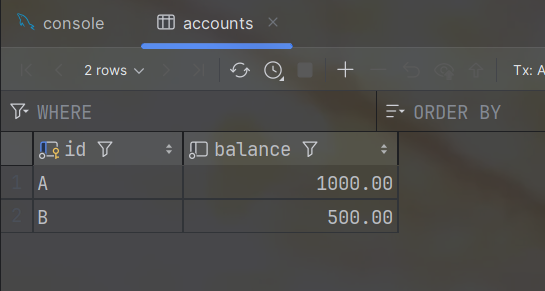
Let’s use the bank transfer example above. First, create a simplified user balance table and initialize some data:
CREATE TABLE accounts (
    id CHAR(1) PRIMARY KEY,
    balance DECIMAL(10,2) NOT NULL
) ENGINE=InnoDB;

INSERT INTO accounts (id, balance) VALUES
('A', 1000.00),
('B', 500.00);
- Note: In normal projects, primary keys are usually integer types. Here, for the sake of the example above and ease of explanation, it’s set to char type.
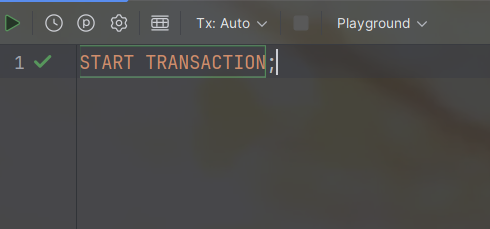
Next, we enter START TRANSACTION in the console to start the transaction.
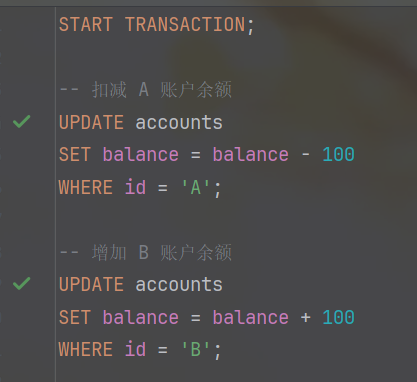
Now we create a transfer operation and execute it:
-- Deduct from Account A's balance
UPDATE accounts
SET balance = balance - 100
WHERE id = 'A';

-- Add to Account B's balance
UPDATE accounts
SET balance = balance + 100
WHERE id = 'B';
At this point, we use SELECT * FROM accounts to view the current table state:
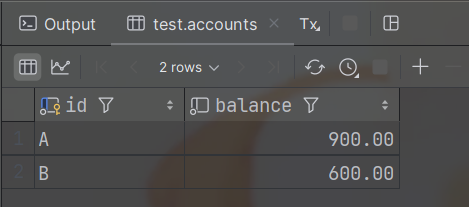
We can see the operation was successful - the balances of A and B have changed. However, when we now return to IDEA’s database tool panel to view the table data, we find the balances haven’t changed:
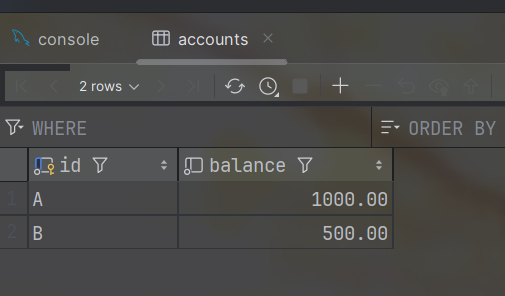
This demonstrates transaction isolation. These modifications are only visible within the transaction. In the same session, modifications to data before the transaction is committed are visible, but for other sessions, these modifications remain invisible until the transaction is committed and take effect externally. When we open the database tool panel in IDEA to view table data, it’s equivalent to opening a new session, which is independent from the previous transaction, so the data hasn’t changed.
If we now use COMMIT to commit the transaction, the data is officially written to the database table for persistence - this is the durability of transactions.
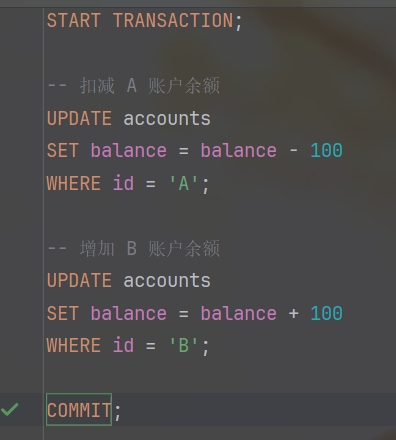
At this point, we’ll find that the table data in IDEA’s database tool has been modified:
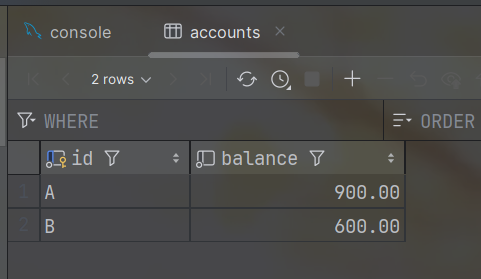
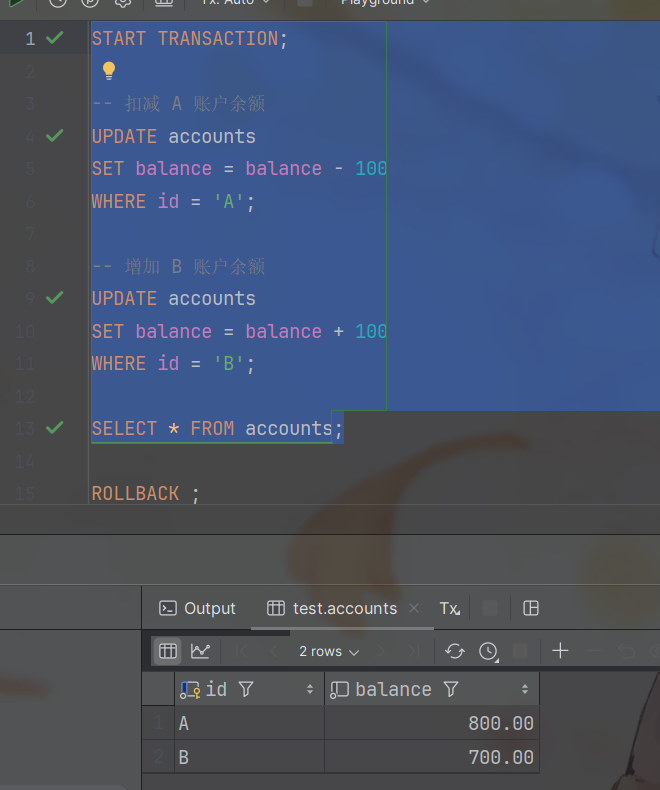
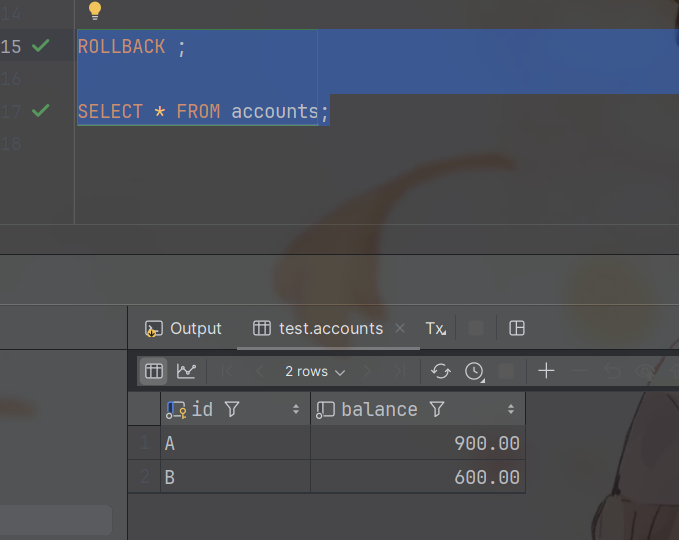
Similarly, using ROLLBACK can undo all uncommitted operations in the transaction, restoring the data to the state before the transaction began. This way, even if multiple modifications are made within the transaction, they won’t affect the actual database data, implementing atomicity and consistency.
3. Transactions in Spring
Demo Example
We write the following code:
@Mapper
public interface AccountsMapper {
    @Update("UPDATE accounts " +
            "SET balance = balance + #{delta} " +
            "WHERE id = #{id}")
    void updateByDelta(@Param("id") Character id, @Param("delta") BigDecimal delta);
}
@Service
public class AccountsService {
    @Autowired
    private AccountsMapper accountsMapper;

    public void transfer(Character id1, Character id2, BigDecimal delta) {
        accountsMapper.updateByDelta(id1,BigDecimal.ZERO.subtract(delta));
        System.out.println(1 / 0);
        accountsMapper.updateByDelta(id2,delta);
    }

}
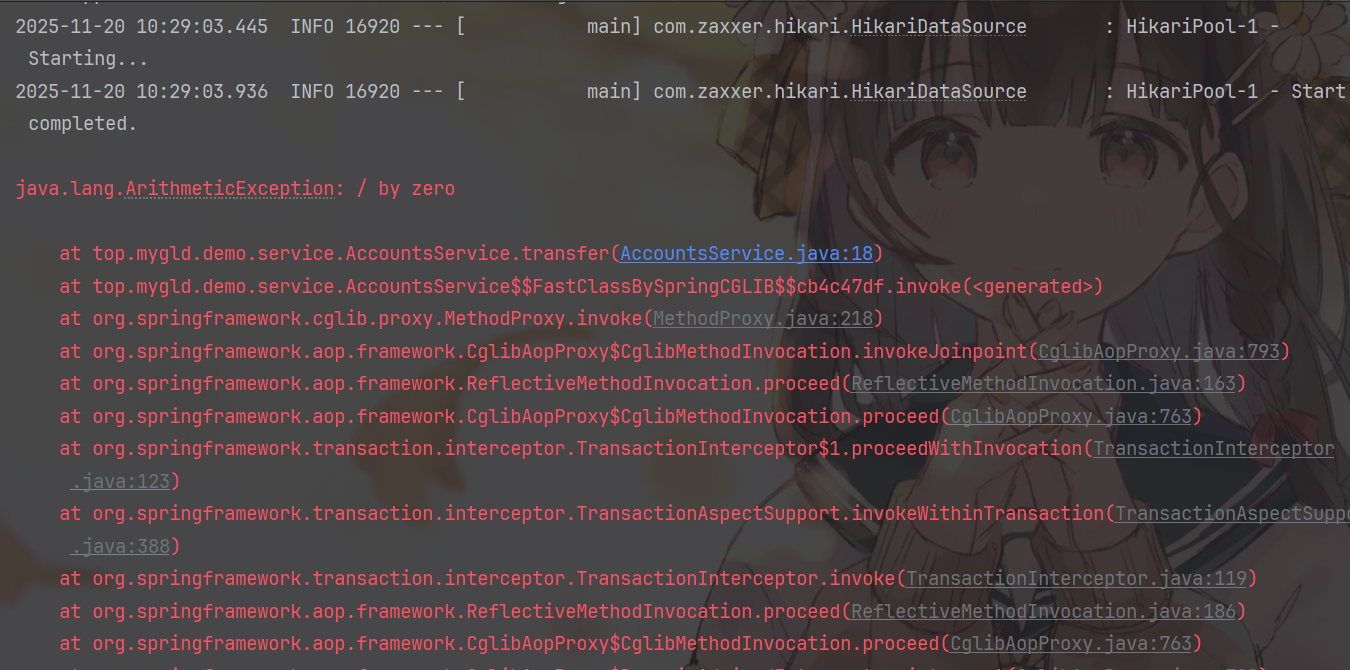
In AccountsService, we define a simple transfer method. In this method, we deliberately write 1/0 to throw a runtime exception. After running it, we’ll check whether the data in the database has changed after the exception is thrown.
We create a test unit:
@SpringBootTest
class DemoApplicationTests {
    @Autowired
    private AccountsService accountsService;
    @Test
    void  testTransaction(){
        accountsService.transfer('A','B',new BigDecimal("100"));
    }
}
After running, we find an exception is thrown:
When we check the database table, we find there’s a problem:
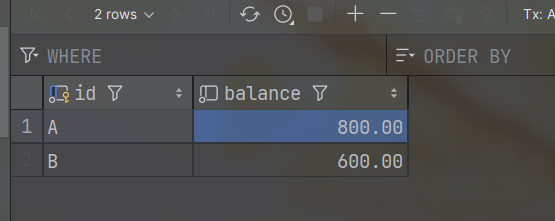
Account A’s balance decreased by 100 yuan, but Account B’s balance didn’t increase. The total balance of 1500 inexplicably decreased by 100 yuan, causing problems with data consistency and integrity.
In the AccountsService code, accountsMapper.updateByDelta(id1,BigDecimal.ZERO.subtract(delta)); ran successfully first, but after the exception was thrown, the following accountsMapper.updateByDelta(id2,delta); didn’t execute, causing the above problem. What we want is for both update operations to either succeed together or fail together. Therefore, we must encapsulate these two update operations into a single transaction. If one fails, everything should ROLLBACK.
Basic Usage of @Transactional
In the Spring framework, transaction management is implemented through Spring’s transaction abstraction, which allows us to conveniently manage transactions in business code without directly operating the database’s START TRANSACTION, COMMIT, or ROLLBACK.
In the Spring framework, we often use the @Transactional annotation to declare that a method or class needs to execute within a transaction. Spring automatically starts a transaction before method execution, commits the transaction after successful execution, and if a RuntimeException or Error occurs during execution, the transaction automatically rolls back, ensuring the atomicity and consistency of operations.
@Transactional can be added to methods or classes. If added to a method, it only affects that method - the transaction is only opened when executing that method. If added to a class, it applies to all public methods in the class, equivalent to adding transactions to each public method. However, in actual development, it’s usually only added to methods that need it, rather than directly on the class.
Now let’s add the @Transactional annotation to the transfer method in AccountsService:
@Service
public class AccountsService {
    @Autowired
    private AccountsMapper accountsMapper;

    @Transactional
    public void transfer(Character id1, Character id2, BigDecimal delta) {
        accountsMapper.updateByDelta(id1,BigDecimal.ZERO.subtract(delta));
        System.out.println(1 / 0);
        accountsMapper.updateByDelta(id2,delta);
    }

}
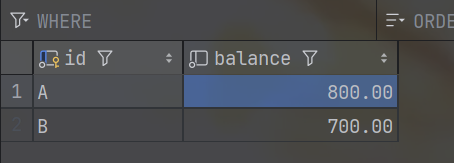
For comparison, I’ll first restore the database data to 900 and 600.
Run the unit test again, and after the exception is thrown, check the database result:
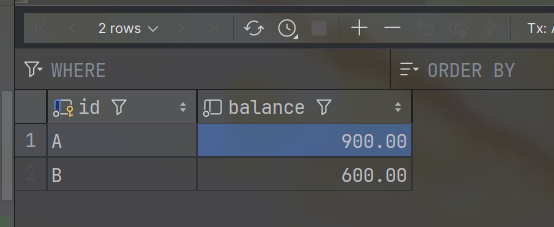
After refreshing, we can see the data hasn’t changed at all, indicating the transaction successfully rolled back. When the transfer method executes to 1/0 and throws an ArithmeticException, Spring detects the runtime exception and automatically triggers a transaction rollback, undoing the previous deduction from Account A, ensuring data consistency.
If we now delete the 1/0 code and run again, there are no exceptions, so it will COMMIT successfully. Refresh the database table as shown below:
Advanced Usage of @Transactional
rollBackFor Property
OK, we just mentioned that it automatically rolls back when encountering runtime exceptions. But what if the exception is not a runtime exception? Will it still automatically roll back? Let’s test it. We modify the transfer code as follows:
@Service
public class AccountsService {
    @Autowired
    private AccountsMapper accountsMapper;
    @Transactional
    public void transfer(Character id1, Character id2, BigDecimal delta) throws Exception {
        accountsMapper.updateByDelta(id1,BigDecimal.ZERO.subtract(delta));
        if(true){
            throw new Exception("Manually thrown exception~");
        }
        accountsMapper.updateByDelta(id2,delta);
    }
}
Using if(true) makes the compiler think the following statement might be executed, so it won’t report a compilation error - essentially “tricking” the compiler.
In the unit test, we catch the exception:
@SpringBootTest
class DemoApplicationTests {
    @Autowired
    private AccountsService accountsService;
    @Test
    void  testTransaction(){
        try {
            accountsService.transfer('A','B',new BigDecimal("100"));
        } catch (Exception e) {
            throw new RuntimeException(e);
        }
    }
}
After running the unit test, refresh and check the database table - we find there’s a problem again:
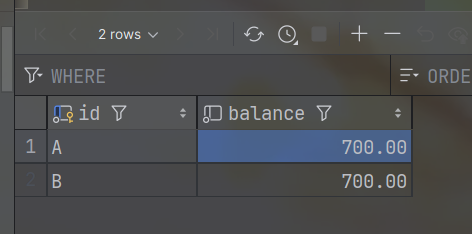
It’s the same as the initial situation. Even with @Transactional, the same problem occurs - A’s balance decreased, B’s balance didn’t increase. Why is this?
As we just mentioned, @Transactional by default only automatically rolls back for runtime exceptions. Since ArithmeticException is a subclass of RuntimeException, it can automatically roll back, but Exception is not a runtime exception, so it cannot automatically roll back.
What can we do? Do we have no way to solve this problem? Let’s immediately look at the source code of @Transactional to see if there are any properties we can set in this annotation.
@Target({ElementType.TYPE, ElementType.METHOD})
@Retention(RetentionPolicy.RUNTIME)
@Inherited
@Documented
public @interface Transactional {
    @AliasFor("transactionManager")
    String value() default "";

    @AliasFor("value")
    String transactionManager() default "";

    String[] label() default {};

    Propagation propagation() default Propagation.REQUIRED;

    Isolation isolation() default Isolation.DEFAULT;

    int timeout() default -1;

    String timeoutString() default "";

    boolean readOnly() default false;

    Class<? extends Throwable>[] rollbackFor() default {};

    String[] rollbackForClassName() default {};

    Class<? extends Throwable>[] noRollbackFor() default {};

    String[] noRollbackForClassName() default {};
}
We discovered Class<? extends Throwable>[] rollbackFor() default {};. Looking at the name rollbackFor - rollback for… - isn’t this exactly what we want? It takes a Class array as input. Let’s immediately return to our transfer method and add this property:
@Service
public class AccountsService {
    @Autowired
    private AccountsMapper accountsMapper;

    @Transactional(rollbackFor = {Exception.class})
    public void transfer(Character id1, Character id2, BigDecimal delta) throws Exception {
        accountsMapper.updateByDelta(id1,BigDecimal.ZERO.subtract(delta));
        if(true){
            throw new Exception("Manually thrown exception~");
        }
        accountsMapper.updateByDelta(id2,delta);
    }
}
Then we restore the database data to 800 and 700, and run the unit test again with the following result:
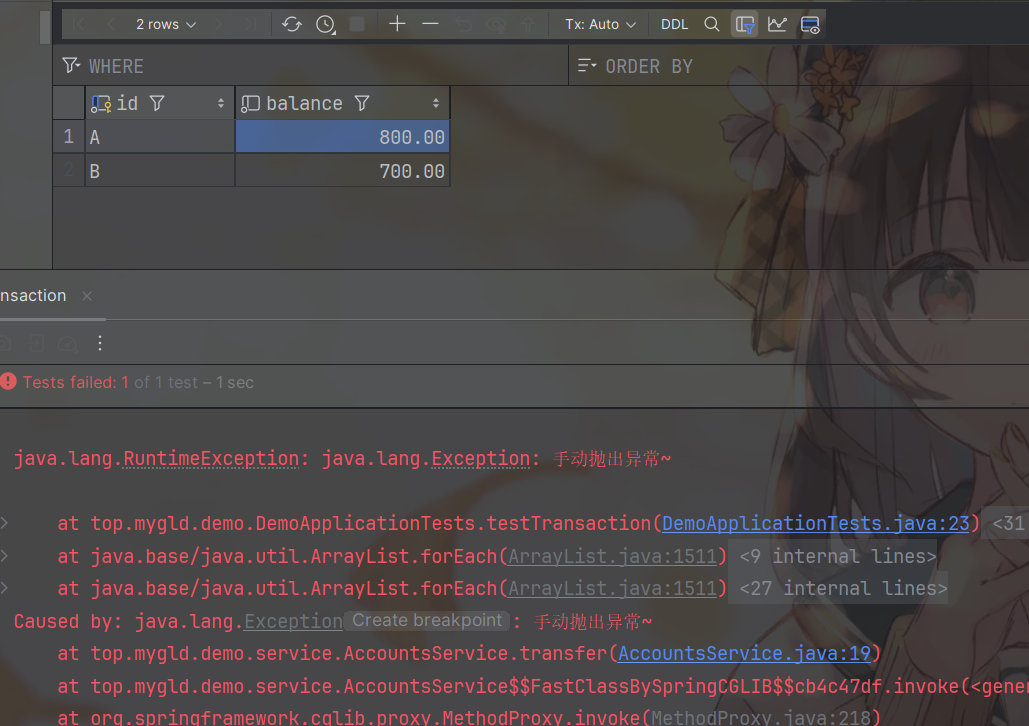
Now it’s perfect. The exception was thrown and the data wasn’t modified, indicating a ROLLBACK occurred.
Transaction Propagation Behavior
Good, but we have another question. In our projects, we often have business logic for storing operation logs. Let’s create an accounts_log table:
CREATE TABLE accounts_log (
    id BigInt PRIMARY KEY AUTO_INCREMENT,
    message TEXT NOT NULL
) ENGINE=InnoDB;
- Please note, this is a simplified log table. In normal project development, it’s not this simple - there are many other fields, such as log type, etc.
Then create an entity class:
@Data
@AllArgsConstructor
@NoArgsConstructor
public class AccountsLog {
    private Long id;
    private String message;
}
Create a Mapper:
@Mapper
public interface AccountsLogMapper {
    @Insert("INSERT INTO accounts_log VALUES(#{id},#{message})")
    void insert(AccountsLog accountsLog);
}
Create a Service:
@Service
public class AccountsLogService {
    @Autowired
    private AccountsLogMapper accountsLogMapper;

    public void insert(AccountsLog accountsLog) {
        accountsLogMapper.insert(accountsLog);
    }

}
Refactor the transfer code:
@Service
public class AccountsService {
    @Autowired
    private AccountsMapper accountsMapper;

    @Autowired
    private AccountsLogService accountsLogService;

    @Transactional(rollbackFor = {Exception.class})
    public void transfer(Character id1, Character id2, BigDecimal delta) throws Exception {
        String message = id1 + " initiated transfer to "
                + id2 + " of " + delta + " yuan, ";
        try {
            accountsMapper.updateByDelta(id1,BigDecimal.ZERO.subtract(delta));
            if(true){
                throw new Exception("Manually thrown exception~");
            }
            accountsMapper.updateByDelta(id2,delta);
            message = "Succeeded!";
        } catch (Exception e){
            message += "but failed!";
            throw e;//continue throwing exception, otherwise @Transactional won't detect it
        }finally {
            accountsLogService.insert(new AccountsLog(null,message));
        }
    }

}
We require that logs be recorded whether the transfer succeeds or fails. If we only write it this way, after running the unit test we find:
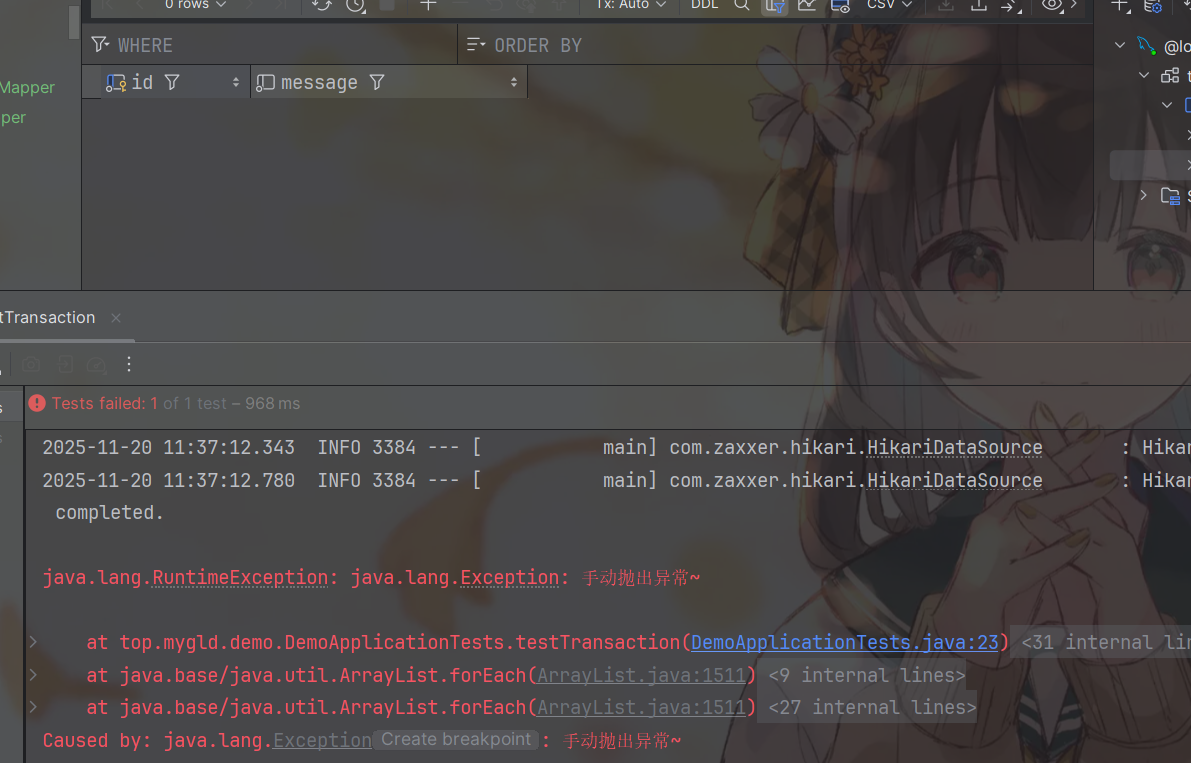
The exception was thrown, but there’s no data in the accounts_log table. This is because although accountsLogService.insert is called in finally, the operation is still constrained by the same transaction method. As long as there’s an exception, all modifications will be rolled back, including operations in finally. So how do we solve this problem?
In the Transactional source code, we see a property Propagation propagation() default Propagation.REQUIRED;. This property is used to control transaction propagation behavior, i.e., when a transaction method is called by another transaction method, how to handle the transaction issue.
Spring defines 7 transaction propagation behaviors:
| Propagation Behavior | Description |
|---|---|
| REQUIRED (default) | If a transaction exists, join it; if no transaction exists, create a new one |
| REQUIRES_NEW | Always create a new transaction; if a transaction exists, suspend the current transaction |
| SUPPORTS | If a transaction exists, join it; if no transaction exists, execute non-transactionally |
| NOT_SUPPORTED | Execute non-transactionally; if a transaction exists, suspend the current transaction |
| MANDATORY | If a transaction exists, join it; if no transaction exists, throw an exception |
| NEVER | Execute non-transactionally; if a transaction exists, throw an exception |
| NESTED | If a transaction exists, execute within a nested transaction; if no transaction exists, create a new one |
For our logging requirement, we should use Propagation.REQUIRES_NEW, which creates a completely independent new transaction that is not affected by the outer transaction’s rollback.
We modify AccountsLogService as follows:
@Service
public class AccountsLogService {
    @Autowired
    private AccountsLogMapper accountsLogMapper;

    @Transactional(propagation = Propagation.REQUIRES_NEW)
    public void insert(AccountsLog accountsLog) {
        accountsLogMapper.insert(accountsLog);
    }

}
Now let’s run the unit test again and check the database table result:
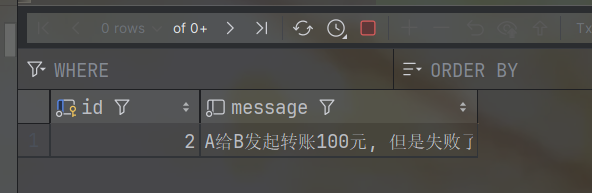
Perfect! Our log was added successfully. For this current example, when executing the inner transaction, the outer transaction is suspended and waits for the inner transaction’s lifecycle to end before resuming the outer transaction.
However, in actual project development, we mostly use the default propagation method (about 85% ~ 90% of scenarios), followed by REQUIRES_NEW (about 5% ~ 10%). Other propagation methods are used less frequently. Interested readers can explore them on their own.